
Anúncios
Discover how Amazon Alexa can transform your smartphone into a powerful voice-controlled assistant, making daily tasks easier and smarter than ever before.


The Amazon Alexa mobile app brings the full power of voice assistance right to your fingertips. Whether you’re at home, commuting, or traveling, this innovative application connects you to a world of convenience where your voice becomes the ultimate remote control for your digital life.
Anúncios
From playing your favorite music and setting reminders to controlling smart home devices and answering questions, the Alexa app transforms how you interact with technology. It’s not just an app—it’s your personal assistant that learns your preferences and adapts to your lifestyle, making everyday routines smoother and more enjoyable.
🎯 Why You Need the Alexa App on Your Mobile Device
Installing the Alexa app on your smartphone opens up a universe of possibilities that go far beyond simple voice commands. This application serves as the command center for your entire Alexa ecosystem, allowing you to manage settings, explore new skills, and customize your experience to match your unique needs.
Anúncios
The mobile app gives you complete control even when you’re away from your Echo devices. You can send messages, make calls, create shopping lists, and control your smart home—all from wherever you are. This level of accessibility means your assistant is truly always with you, ready to help at a moment’s notice.
What makes the Alexa app particularly valuable is its seamless integration with thousands of services and devices. From streaming platforms like Spotify and Apple Music to smart home brands like Philips Hue and Ring, everything connects through one intuitive interface that puts you in charge.
✨ Key Features That Make Alexa Indispensable
The Alexa mobile app is packed with features designed to simplify your life and enhance your productivity. Understanding these capabilities helps you unlock the full potential of this powerful tool.
Voice Control Anywhere You Go
With the Alexa app installed on your phone, you can activate voice commands even without an Echo device nearby. Simply tap the blue Alexa button and speak your request. Whether you need directions, want to know the weather, or need a quick calculation, Alexa responds instantly with accurate information.
This hands-free convenience becomes especially valuable when you’re busy cooking, driving (using hands-free mode), or multitasking around the house. Your voice becomes the interface, eliminating the need to type or navigate through multiple menus.
Smart Home Management at Your Fingertips
The Alexa app serves as your smart home headquarters. From a single dashboard, you can monitor and control all your connected devices—lights, thermostats, cameras, locks, and more. The intuitive interface lets you create routines that automate multiple actions with a single command.
Imagine arriving home and having the lights turn on, the thermostat adjust to your preferred temperature, and your favorite music start playing—all automatically. With the Alexa app, setting up these scenarios takes just minutes, and the results transform your living space into a truly intelligent home.
Entertainment Hub for Music and Media
Music lovers will appreciate how the Alexa app seamlessly connects to major streaming services. You can browse playlists, discover new artists, and control playback across all your Alexa-enabled devices. The app also provides access to podcasts, audiobooks, and radio stations from around the world.
Creating multi-room audio setups becomes effortless through the app’s device grouping feature. Play the same song throughout your entire house or different music in each room—the choice is yours, and the control is simple and responsive.

🚀 Getting Started with the Alexa Mobile Experience
Setting up the Alexa app is straightforward and takes only a few minutes. Once downloaded, the app guides you through a simple setup process that connects your Amazon account and begins personalizing your experience.
After installation, you’ll be prompted to grant necessary permissions like microphone access for voice commands and location services for location-based features like weather updates and traffic information. These permissions enhance functionality while maintaining your privacy through Amazon’s security protocols.
The initial setup also includes connecting any Alexa-enabled devices you own, linking your preferred music services, and exploring the Skills store where thousands of third-party integrations await. This customization process ensures Alexa understands your preferences from day one.
Personalizing Your Alexa Experience
One of the Alexa app’s greatest strengths is its customization capabilities. The settings menu offers extensive options to tailor how Alexa responds, what information she shares, and how she interacts with your other services and devices.
You can adjust Alexa’s speaking speed, choose different voice options, and set up voice profiles for family members so Alexa recognizes who’s speaking. This personalization extends to setting preferred news sources, defining default music services, and establishing privacy boundaries for data collection.
🏠 Transforming Your Home with Smart Routines
Routines represent one of the most powerful features within the Alexa app. These automated sequences allow you to trigger multiple actions with a single phrase or at scheduled times, creating a home that anticipates your needs.
A morning routine might include gradually increasing bedroom lights, reading the day’s weather and calendar events, starting your coffee maker, and playing your favorite news podcast—all activated by simply saying “Alexa, good morning.” The app makes creating these complex sequences surprisingly simple through an intuitive drag-and-drop interface.
Evening routines can automatically lock doors, turn off lights, adjust the thermostat for sleeping comfort, and play relaxing sounds. These thoughtful automations don’t just add convenience; they genuinely improve quality of life by eliminating repetitive tasks and creating consistent, comfortable environments.
Creating Custom Commands for Your Lifestyle
Beyond pre-built routines, the Alexa app lets you create custom commands tailored to your specific needs. If you frequently perform certain task sequences, you can bundle them under a single phrase that makes sense to you.
Parents might create a “bedtime” routine for kids that dims lights, plays a lullaby, and sets a sleep timer. Remote workers can establish an “office mode” that adjusts lighting for productivity, plays focus music, and silences non-urgent notifications. The possibilities are limited only by your imagination and the devices in your ecosystem.
💬 Staying Connected Through Alexa Communication
The Alexa app includes robust communication features that keep you connected with family and friends. You can make voice and video calls to other Alexa users completely free, send messages, and even “drop in” on your own devices to check on home activities.
The Announcements feature lets you broadcast messages to all Alexa devices in your home simultaneously—perfect for calling everyone to dinner or making quick household announcements. This turns your connected devices into an intercom system that works seamlessly across rooms and even buildings.
For families with elderly relatives or children, these communication features provide peace of mind. You can check in easily, and they can reach you with simple voice commands without needing to dial numbers or navigate complex phone menus.
🛡️ Privacy and Security Features You Should Know
Amazon has built comprehensive privacy controls directly into the Alexa app, giving you transparency and control over your data. The Privacy Hub within the app provides easy access to voice history, allowing you to review and delete recordings at any time.
You can set Alexa to automatically delete recordings after a specified period, or you can choose to never save recordings at all. These options give you complete control over what data is retained and how it’s used to improve your experience.
The app also includes clear indicators when Alexa is listening and recording, plus the ability to mute the microphone entirely. Amazon continues updating these privacy features based on user feedback, demonstrating a commitment to protecting user information while delivering helpful services.
🎮 Exploring the Alexa Skills Ecosystem
The Skills section of the Alexa app opens doors to thousands of third-party integrations that expand what Alexa can do. Skills are like apps for your voice assistant, adding capabilities ranging from games and trivia to productivity tools and specialized knowledge.
Popular skills include meditation guides, recipe assistants that walk you through cooking steps hands-free, language learning programs, and home workout coaches. Businesses also create skills for their services—you can order pizza, book rides, check bank balances, and much more using just your voice.
Discovering new skills through the app is intuitive, with categories, ratings, and recommendations helping you find valuable additions to your Alexa experience. Enabling skills takes seconds, and you can disable them just as easily if they don’t meet your needs.
Gaming and Entertainment Skills
For entertainment, Alexa offers interactive story games, trivia challenges, and even multiplayer experiences you can enjoy with friends and family. These skills showcase the creative potential of voice interfaces, providing engaging experiences that don’t require screens.
Kids especially enjoy age-appropriate skills that teach spelling, math, and science through interactive games. Parents appreciate that these educational tools make learning fun while giving children practice with voice technology in safe, controlled environments.
📊 Managing Multiple Devices from One Interface
If you have several Alexa-enabled devices throughout your home, the mobile app becomes essential for managing them all efficiently. The Devices tab provides a comprehensive view of every connected product, with options to rename them, adjust settings, and group them for coordinated control.
Creating device groups allows you to control multiple items simultaneously. A “living room” group might include your TV, smart lights, and Echo speaker, so saying “Alexa, turn off the living room” powers down everything at once. This organizational approach simplifies smart home management significantly.
The app also helps troubleshoot connectivity issues, update device firmware, and configure advanced features specific to certain products. This centralized management saves time and eliminates the frustration of juggling multiple apps from different manufacturers.
🌟 Maximizing Productivity with Alexa Assistance
Beyond entertainment and smart home control, the Alexa app serves as a genuine productivity partner. You can set reminders, create to-do lists, manage calendar appointments, and receive notifications for important events—all through simple voice commands or app interactions.
Shopping lists sync across all your devices, meaning you can add items by voice at home and access the complete list on your phone while at the store. This seamless integration between voice and mobile interfaces eliminates the friction that often disrupts productivity workflows.
Professional users appreciate Alexa’s ability to integrate with services like Microsoft Outlook, Google Calendar, and various project management platforms. Checking your schedule, adding meetings, and staying organized becomes faster and more natural through conversational interactions.
Time Management and Daily Organization
The timer and alarm features might seem basic, but they become incredibly powerful when voice-activated. You can set multiple named timers simultaneously—perfect for cooking complex meals or managing different tasks with specific time requirements.
Alexa can also provide morning briefings that summarize your calendar, weather, traffic, and news based on your preferences. This personalized digest helps you start each day informed and prepared, without spending time checking multiple sources manually.
🔄 Continuous Updates and New Features
Amazon regularly updates the Alexa app with new features, improvements, and integrations. These updates often arrive automatically, ensuring you always have access to the latest capabilities without needing to manually check for upgrades.
Recent updates have introduced features like adaptive volume (where Alexa adjusts speaking volume based on ambient noise), improved natural language understanding, and expanded multi-language support. The development team actively listens to user feedback, implementing requested features and refining existing ones.
This commitment to ongoing improvement means the Alexa app you download today will be even more capable and useful months from now. Your investment in learning the platform pays dividends as it grows smarter and more versatile over time.
🌍 Global Accessibility and Language Support
The Alexa app supports multiple languages and regional settings, making it accessible to users worldwide. Whether you speak English, Spanish, German, French, Italian, Japanese, or numerous other languages, Alexa can understand and respond in your preferred tongue.
For bilingual households, Alexa can even switch between languages seamlessly within the same conversation. This flexibility makes the app genuinely inclusive, serving diverse populations with equal effectiveness regardless of linguistic background.
Regional customization extends to content recommendations, news sources, and service integrations that reflect local availability and cultural preferences. This attention to localization ensures Alexa feels relevant and useful no matter where you live.
💡 Tips for Getting the Most from Your Alexa App
To truly maximize your Alexa experience, explore beyond the basic features. Dive into the settings menu regularly to discover new options that Amazon has added. Join the Alexa user community to learn creative uses and troubleshooting tips from experienced users.
Don’t hesitate to experiment with different skills and routines—you can always disable or delete anything that doesn’t work for you. The best Alexa setup is highly personal, reflecting your unique lifestyle, priorities, and household dynamics.
Take advantage of Alexa’s learning capabilities by providing feedback when responses aren’t quite right. This helps improve accuracy over time, making your assistant progressively better at understanding your specific speaking patterns and preferences.
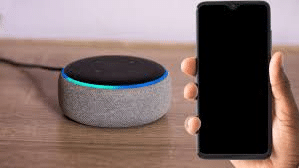
🎁 Why Download the Alexa App Today
The Amazon Alexa mobile app represents the future of human-computer interaction—one where technology adapts to you rather than requiring you to adapt to it. By installing this free application, you gain immediate access to a sophisticated assistant that grows more helpful with every interaction.
Whether you’re already invested in the Amazon Echo ecosystem or just beginning to explore voice technology, the mobile app provides an accessible entry point that requires no additional hardware purchases. Your smartphone becomes a gateway to smarter living, enhanced productivity, and streamlined daily routines.
The combination of powerful features, continuous improvements, and genuine utility makes the Alexa app an essential download for anyone seeking to simplify their digital life. Voice control is no longer a futuristic concept—it’s a practical reality that transforms how we interact with technology every single day.
Join millions of users worldwide who have already discovered the convenience and capabilities that Alexa brings to their mobile devices. Download the app today and experience firsthand how voice assistance can make your life easier, more organized, and genuinely more enjoyable. Your personal assistant is waiting—just say the word. 🎤
