
Anúncios
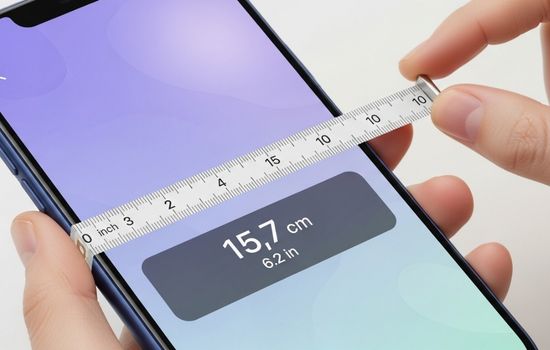
Measuring spaces accurately has never been easier thanks to mobile technology that transforms your smartphone into a digital measuring tape, saving time and delivering reliable results.

Gone are the days when you needed to carry a physical tape measure everywhere. Modern smartphones equipped with advanced cameras and sensors can now perform precise measurements using augmented reality and sophisticated algorithms. Whether you’re a professional contractor, an interior designer, or simply someone who enjoys DIY projects, these innovative applications offer convenience right at your fingertips.
Anúncios
The beauty of digital measuring tape apps lies in their versatility and accessibility. They eliminate the need for bulky equipment while providing features that traditional tools simply cannot match, such as instant calculations, data storage, and the ability to share measurements digitally with colleagues or clients.
📱 How Digital Tape Measure Apps Actually Work
Understanding the technology behind these applications helps you appreciate their capabilities and limitations. Most measuring apps utilize your smartphone’s camera combined with augmented reality (AR) technology to calculate distances and dimensions in real-time.
Anúncios
The process begins when you point your camera at a surface or object. The app uses computer vision algorithms to detect depth and spatial relationships between different points. By identifying reference points and calculating the distance between them, the software can provide accurate measurements displayed directly on your screen.
Some apps leverage LiDAR (Light Detection and Ranging) sensors found in newer iPhone models, which emit laser pulses to measure distances with exceptional precision. Android devices typically rely on camera-based augmented reality frameworks like ARCore, which uses motion tracking and environmental understanding to achieve similar results.
🔍 The Role of Calibration in Measurement Accuracy
Before taking measurements, most apps require a brief calibration process. This step involves moving your phone slowly across the area you want to measure, allowing the software to map the environment and establish accurate reference points.
Proper calibration significantly improves measurement precision. Ensure adequate lighting conditions and avoid reflective or transparent surfaces that might confuse the sensors. The more data points the app can capture, the more reliable your measurements will be.
🏆 Top Features to Look for in Measuring Apps
Not all measuring applications are created equal. When selecting the right tool for your needs, consider these essential features that separate exceptional apps from mediocre ones.
- Multiple measurement modes: Look for apps that offer various measuring options including linear distance, height, area, volume, and angles
- Screenshot and annotation tools: The ability to capture measurements and add notes directly on images streamlines documentation
- Unit conversion: Seamless switching between metric and imperial units accommodates different project requirements
- Measurement history: Saving previous measurements allows you to reference them later without redoing work
- Export functionality: Sharing measurements via email, cloud storage, or direct integration with design software enhances collaboration
- 3D room scanning: Advanced apps can create complete floor plans and three-dimensional models of spaces
Premium versions of measuring apps often include additional capabilities like advanced calculation tools, professional reporting templates, and cloud synchronization across multiple devices. Consider whether these enhanced features justify the investment based on your specific use case.


📐 Practical Applications Across Different Industries
Digital measuring tools have revolutionized workflows across numerous professional fields. Understanding how different industries leverage these technologies can inspire creative applications for your own projects.
🏗️ Construction and Architecture
Construction professionals use mobile measuring apps for quick site assessments, verifying dimensions against blueprints, and documenting as-built conditions. The ability to instantly share measurements with team members reduces communication errors and accelerates project timelines.
Architects find these tools invaluable during site visits when creating initial concept drawings or verifying existing conditions. The convenience of capturing measurements without a physical tape measure allows for more efficient field work and reduces the likelihood of forgetting critical dimensions.
🛋️ Interior Design and Furniture Shopping
Interior designers rely on measuring apps to quickly assess spaces and determine whether furniture pieces will fit appropriately. The visualization features available in many apps allow designers to show clients how proposed furniture arrangements will look in actual spaces.
Homeowners benefit tremendously when furniture shopping. Before purchasing that beautiful sofa, you can verify it will fit through doorways and complement existing room dimensions. This prevents costly return trips and ensures satisfaction with new additions to your home.
🏡 Real Estate and Property Management
Real estate agents use measuring applications to create accurate property listings and floor plans without hiring specialized surveyors for every property. This capability speeds up the listing process and provides potential buyers with detailed spatial information.
Property managers find these tools useful for maintenance planning, renovation estimates, and documenting property conditions during tenant transitions. The digital nature of measurements creates easily accessible records for future reference.
✨ Tips for Achieving Maximum Accuracy
While measuring apps have become remarkably sophisticated, following best practices ensures you obtain the most precise results possible from your mobile device.
Lighting plays a crucial role in measurement accuracy. Natural daylight or bright, even artificial lighting helps your phone’s camera and sensors detect surfaces more effectively. Avoid measuring in dim conditions or areas with harsh shadows that can distort spatial recognition.
Steady movements produce better results than quick, jerky motions. When calibrating or taking measurements, move your phone slowly and deliberately. This allows the processing algorithms sufficient time to analyze the environment and calculate accurate distances.
🎯 Understanding Measurement Limitations
Even the best measuring apps have limitations that users should understand. Extremely long distances may exceed the effective range of camera-based measurements, typically maxing out around 30-40 feet depending on the app and device capabilities.
Transparent surfaces like glass windows, highly reflective materials such as mirrors, and uniform textures without distinctive features can challenge measurement algorithms. When encountering these situations, try adding temporary reference markers or measuring from different angles.
Weather conditions affect outdoor measurements. Rain, fog, or extreme brightness can interfere with sensor accuracy. Whenever possible, take outdoor measurements during moderate weather conditions with adequate but not overwhelming natural light.
🔄 Comparing Digital vs. Traditional Measuring Tools
Understanding when to use digital measuring apps versus traditional tape measures helps you choose the right tool for each situation. Both have distinct advantages depending on your specific requirements.
| Aspect | Digital Apps | Physical Tape Measures |
|---|---|---|
| Convenience | Always available on your phone | Requires carrying separate tool |
| Accuracy | Generally within ±2% for most apps | Highly accurate when properly used |
| Documentation | Automatic saving and sharing | Manual recording required |
| Complex Measurements | Excels at areas, volumes, and angles | Limited to linear measurements |
| Learning Curve | Requires understanding of app features | Minimal learning needed |
| Battery Dependency | Requires charged phone | No power source needed |
For professional construction work requiring millimeter precision, traditional tools remain the gold standard. However, for planning, quick assessments, and general purpose measuring, digital apps offer unmatched convenience and functionality.
🚀 Advanced Features Transforming the Measuring Experience
Modern measuring applications continue evolving with features that extend far beyond simple distance calculations. These advanced capabilities are transforming how professionals and hobbyists approach spatial measurement.
📊 Automatic Area and Volume Calculations
Instead of measuring multiple dimensions separately and manually calculating areas or volumes, contemporary apps automatically compute these values. Simply trace the perimeter of a room or object, and the software instantly provides square footage, cubic volume, and even estimates for materials needed.
This functionality proves invaluable for flooring projects, paint estimation, landscaping calculations, and countless other applications where area and volume matter more than individual dimensions.
🏠 Creating Complete Floor Plans
Some advanced measuring apps generate professional-quality floor plans as you measure. Walk through a space with your phone, and the app constructs a detailed architectural drawing complete with walls, doors, windows, and room labels.
These digital floor plans can be exported to various formats compatible with CAD software, shared with contractors, or used for space planning. The time savings compared to manual drafting methods are substantial, making this feature particularly valuable for real estate professionals and renovation planners.
🖼️ Augmented Reality Visualization
Cutting-edge applications incorporate AR visualization that allows you to virtually place furniture, artwork, or other objects in your space before making purchases. See exactly how that new refrigerator will look in your kitchen or whether that painting is proportionally appropriate for your wall.
This preview capability reduces buyer’s remorse and helps you make more confident design decisions. Retailers increasingly integrate similar technology into their shopping experiences, but standalone measuring apps often provide more flexibility and precision.
💡 Troubleshooting Common Measurement Issues
Even experienced users occasionally encounter challenges when using measuring apps. Recognizing common problems and their solutions helps you work more efficiently.
If measurements seem consistently inaccurate, recalibrate your device by restarting the app and repeating the initial setup process. Accumulated sensor data from previous sessions can sometimes interfere with new measurements, and a fresh calibration resolves this issue.
Unstable measurements that fluctuate while pointing at the same object often indicate insufficient surface texture for the algorithms to lock onto. Try measuring from a different angle or ensuring better lighting so the camera can detect more visual information.
Apps crashing or freezing typically relate to device performance rather than the software itself. Close background applications, ensure your operating system is updated, and verify you have adequate storage space available. Older phones may struggle with the processing demands of AR-based measuring applications.
🌟 Maximizing Value from Free vs. Paid Versions
Many measuring applications offer both free and premium versions, leaving users wondering whether upgrading is worthwhile. The decision depends on your usage frequency and specific feature requirements.
Free versions typically provide basic linear measurements, simple area calculations, and limited save slots for measurement history. These capabilities suffice for occasional home users who need quick measurements for furniture shopping or basic DIY projects.
Paid versions unlock professional features like unlimited measurement storage, advanced calculation tools, export options for CAD integration, removal of advertisements, and priority customer support. Professionals who rely on measuring apps daily generally find the upgrade cost justified by increased productivity and expanded capabilities.
Consider starting with free versions to evaluate whether the app meets your needs before committing to a purchase. Many developers offer trial periods for premium features, allowing you to test advanced functionality before deciding.
🔐 Privacy and Data Security Considerations
Since measuring apps access your camera and sometimes location services, understanding privacy implications ensures your data remains secure. Reputable applications clearly explain what information they collect and how they use it.
Review app permissions before installation. A measuring app legitimately needs camera access but has no reason to access your contacts or messages. Be cautious of applications requesting excessive permissions unrelated to their stated functionality.
Measurements of your home contain sensitive information about your property layout. Choose apps from established developers with transparent privacy policies, and check whether measurements are stored locally on your device or uploaded to cloud servers.
🎓 Learning Resources and Community Support
Mastering measuring applications becomes easier when you tap into available learning resources and user communities. Most popular apps maintain YouTube channels with tutorial videos demonstrating advanced techniques and lesser-known features.
Online forums and social media groups dedicated to specific measuring apps provide spaces where users share tips, troubleshoot problems, and showcase creative applications. These communities often discover workarounds for limitations and innovative uses the developers never anticipated.
Many app developers offer email support or in-app help systems. Don’t hesitate to contact support when encountering persistent issues or when you need clarification about specific features. Quality developers appreciate user feedback and often incorporate suggestions into future updates.
🌈 The Future of Mobile Measuring Technology
Emerging technologies promise even more impressive capabilities for mobile measuring applications. As smartphone sensors continue improving and processing power increases, the line between professional surveying equipment and consumer apps continues blurring.
Integration with artificial intelligence will enable apps to automatically recognize objects and suggest appropriate measurement approaches. Imagine pointing your phone at a room and having it automatically measure everything of interest without manual input.
Expanded AR capabilities will create increasingly immersive visualization experiences. Future versions may project life-sized virtual models of furniture or architectural elements that you can walk around and view from any angle before making purchasing or design decisions.
Cross-platform collaboration features will allow multiple users to simultaneously measure and annotate the same space in real-time, regardless of geographic location. This advancement will particularly benefit distributed teams working on construction and design projects.
🎯 Choosing the Right App for Your Specific Needs
With numerous measuring applications available, selecting the optimal one requires evaluating your primary use cases and prioritizing features accordingly. Different apps excel in different scenarios.
Casual users prioritizing simplicity should seek apps with intuitive interfaces and minimal setup requirements. Quick measurements for everyday tasks don’t require complex features that add unnecessary learning curves.
Professional users need robust apps offering measurement history, export capabilities, and integration with industry-standard software. Reliability and accuracy become paramount when measurements affect project outcomes and client satisfaction.
Budget-conscious users can find capable free applications that handle basic measuring tasks effectively. However, recognize that limitations exist, and upgrading may become necessary as your needs evolve.
Reading user reviews provides valuable insights into real-world performance and reliability. Pay attention to comments about accuracy, ease of use, and developer responsiveness to problems. Apps with active development and regular updates typically offer better long-term value.
The transformation of smartphones into precision measuring instruments represents one of technology’s most practical everyday applications. Whether you’re a professional relying on accurate measurements for client projects or a homeowner tackling weekend improvements, these innovative apps deliver convenience without compromising reliability. By understanding their capabilities, limitations, and best practices, you can leverage mobile measuring technology to work smarter and achieve better results in all your spatial projects.
