
Anúncios
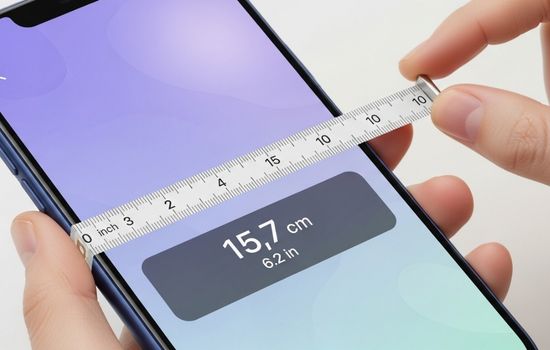
Measuring spaces accurately has never been easier thanks to smartphone technology that transforms your device into a digital tape measure with just a few taps.

Anúncios
Whether you’re planning a home renovation, shopping for furniture, or simply need quick measurements on the go, tape measure apps leverage augmented reality and advanced sensors to deliver surprisingly accurate results. These innovative tools have revolutionized how professionals and DIY enthusiasts approach measuring tasks.
The convenience of having a measuring tool always in your pocket eliminates the need to carry bulky equipment. From contractors checking dimensions at job sites to parents measuring their children’s height, these apps serve countless practical purposes in everyday life. 📏
How Digital Tape Measure Apps Actually Work
Anúncios
Modern smartphones come equipped with sophisticated sensors and cameras that make digital measuring possible. These apps primarily use augmented reality (AR) technology combined with your phone’s camera to calculate distances and dimensions in real-time.
The process begins when you point your camera at a surface or object. The app uses visual markers and reference points to establish scale and depth perception. Advanced algorithms process the camera feed, identifying surfaces and calculating distances based on the phone’s movement and positioning data from the accelerometer and gyroscope.
Some applications rely on LiDAR sensors, particularly those found in newer iPhone models like the iPhone 12 Pro and later versions. LiDAR technology sends out light pulses and measures how long they take to bounce back, creating incredibly accurate depth maps of your surroundings. This results in measurements that can rival traditional tape measures in many scenarios.
Top Features to Look For in Measurement Apps
Not all measuring apps are created equal. Understanding which features matter most can help you choose the right tool for your specific needs. Here are the essential capabilities that distinguish exceptional apps from mediocre ones:
- Augmented Reality Integration: AR capabilities allow you to see measurements overlaid directly on your camera view, making it easier to visualize dimensions in real-world contexts.
- Multiple Measurement Units: The ability to switch between metric and imperial units ensures compatibility with different projects and preferences.
- Save and Share Functions: Quality apps let you capture screenshots, save measurements, and share them via email or messaging platforms.
- Room Scanning: Advanced features that map entire rooms and generate floor plans automatically save tremendous time on larger projects.
- Angle Measurement: Beyond linear distances, the best apps can measure angles, which proves invaluable for construction and design work.
- Surface Area Calculation: Automatic calculation of square footage or square meters simplifies planning for flooring, painting, or landscaping projects.
Professional Applications for Contractors and Designers 🏗️
Construction professionals have discovered that smartphone measuring apps complement traditional tools rather than replacing them entirely. These digital solutions excel in preliminary assessments, quick checks, and situations where carrying physical tools would be impractical.
Interior designers use these apps to rapidly assess room dimensions during client consultations. Instead of scheduling separate measuring visits, they can capture essential data during initial walkthroughs, streamlining the design process considerably.
Real estate professionals benefit enormously from measurement apps when creating property listings. Accurate room dimensions help potential buyers make informed decisions, and the ability to generate floor plans on-site adds significant value to property presentations.
Landscapers and outdoor contractors appreciate the ability to measure irregular spaces and calculate areas for materials estimation. Whether determining how much mulch to order or planning irrigation systems, these apps provide quick, reliable data in field conditions.
Accuracy Considerations for Professional Use
While smartphone measuring apps have impressive capabilities, understanding their limitations remains crucial for professional applications. Most apps achieve accuracy within 1-2% under ideal conditions, which suffices for many tasks but may not meet requirements for precision work.
Lighting conditions significantly impact measurement accuracy. Bright, even lighting produces the best results, while dim or highly contrasted lighting can introduce errors. Professionals often take multiple measurements and average the results for improved reliability.


Home Improvement Projects Made Simpler
DIY enthusiasts have embraced measuring apps as essential tools for home improvement projects. These applications remove much of the guesswork from planning, helping homeowners tackle projects with greater confidence and fewer mistakes.
When shopping for furniture, having a measuring app means you can instantly check whether that perfect couch will fit through your doorway or fit comfortably in your living room. This prevents costly purchasing mistakes and return hassles. 🛋️
Planning gallery walls becomes infinitely easier when you can quickly measure wall space and visualize spacing between frames. Many apps allow you to mark multiple points and calculate distances between them, perfect for achieving symmetrical arrangements.
Kitchen and bathroom renovations benefit tremendously from preliminary measurements captured via smartphone. While final measurements for ordering materials should still use traditional methods, these apps help in the crucial planning and budgeting phases.
Educational and Creative Uses Beyond Construction
Teachers have discovered innovative ways to incorporate measuring apps into mathematics and science education. Students gain hands-on experience with geometry concepts, learning about measurement, scale, and spatial relationships through interactive exercises.
Photography and videography professionals use these apps for planning shot compositions and camera placements. Understanding distances helps in selecting appropriate lenses and setting up equipment for optimal results.
Artists and crafters find numerous applications for digital measuring tools. Whether creating custom frames, planning quilt patterns, or designing costume pieces, accurate measurements contribute to professional-quality finished products.
Fitness and Health Tracking Applications
Some creative users have adapted measurement apps for fitness purposes, tracking body measurements over time or measuring workout spaces for home gym setups. While not their primary intended use, the versatility of these tools extends into unexpected territories.
Choosing Between Free and Premium Versions 💰
Many measuring apps offer both free and paid versions, each with distinct advantages. Free versions typically provide basic measurement functionality adequate for occasional household use and simple projects.
Premium versions unlock advanced features like unlimited saved measurements, cloud synchronization, detailed floor plans, and export options in various formats. For professionals who rely on these tools regularly, the investment in premium features usually pays for itself quickly.
Advertisement removal represents another common premium benefit. While ads in free versions may seem like a minor annoyance, they can significantly disrupt workflow during time-sensitive projects or client presentations.
Consider your usage frequency and specific needs before deciding. Casual users rarely require premium features, while professionals and serious DIYers often find the additional capabilities indispensable.
Tips for Maximum Accuracy and Best Results ✨
Achieving optimal results with measuring apps requires understanding proper technique and environmental factors. These practical tips will help you get the most accurate measurements possible:
- Calibrate Properly: Many apps include calibration features that improve accuracy by accounting for your specific device’s sensors and camera characteristics.
- Maintain Steady Hands: Shaky movements introduce errors. Take your time and keep your phone as steady as possible during measurements.
- Measure from Multiple Angles: Capturing measurements from different perspectives and averaging the results increases reliability.
- Use Sufficient Lighting: Natural daylight or bright, even artificial lighting produces the most accurate results.
- Clean Your Camera Lens: Fingerprints and smudges can affect the app’s ability to properly analyze the scene.
- Understand Reference Points: Apps need clear visual reference points to establish scale. Plain walls or featureless surfaces may challenge the technology.
Privacy and Data Considerations
When using measuring apps, especially those that capture and store images or floor plans, understanding privacy implications becomes important. Read the privacy policies of apps before installation to understand how your data is collected, stored, and potentially shared.
Some apps upload measurements and images to cloud servers for processing or backup purposes. While this enables convenient features like cross-device synchronization, it also means your data exists on external servers.
For sensitive locations or proprietary spaces, look for apps that offer offline functionality and local storage options. These features ensure your measurements and associated images never leave your device.
The Future of Smartphone Measuring Technology 🚀
Measurement app technology continues evolving rapidly as smartphone hardware becomes more sophisticated. The integration of LiDAR sensors in consumer devices represents just the beginning of enhanced spatial awareness capabilities.
Artificial intelligence and machine learning algorithms are becoming more adept at scene recognition and distance calculation. Future versions will likely offer even greater accuracy while requiring less user input and calibration.
Integration with other technologies promises exciting possibilities. Imagine measuring apps that automatically communicate with design software, generating 3D models or ordering materials based on captured dimensions.
Augmented reality advancements will make visualization features more powerful. Future apps may allow you to virtually place furniture with photorealistic rendering or preview renovation results before starting work.
Comparing Digital vs Traditional Measuring Tools
Understanding when to use digital apps versus traditional tape measures helps you work more efficiently. Each approach has distinct advantages depending on the situation.
Traditional tape measures excel in situations requiring absolute precision, such as cutting materials or installing cabinetry. Physical tools don’t depend on batteries, lighting conditions, or calibration, making them reliably consistent.
Digital apps shine when speed and convenience matter most. They’re perfect for preliminary measurements, real-time decision making, and situations where carrying additional tools would be impractical.
Many professionals adopt a hybrid approach, using apps for initial assessments and traditional tools for final measurements. This strategy leverages the strengths of both methods while minimizing their respective weaknesses.
Troubleshooting Common Measurement Issues
Even the best measuring apps occasionally produce inconsistent or questionable results. Understanding common problems and their solutions saves time and frustration.
If measurements seem consistently too long or too short, recalibration usually resolves the issue. Most apps include calibration wizards that guide you through the process step by step.
Measurements that vary wildly between attempts typically indicate inadequate lighting or excessive camera movement. Improving environmental conditions and using more deliberate, steady movements addresses these problems.
When the app struggles to identify surfaces or establish reference points, try measuring from a different angle or adding temporary visual markers like tape that creates clear contrast against surfaces.
Making the Most of Your Digital Measuring Experience
Smartphone measuring apps represent a remarkable convergence of convenience and functionality. They democratize access to measurement tools, empowering anyone with a smartphone to tackle projects with greater confidence and precision.
While they may not completely replace traditional measuring tools in all situations, their versatility and constant availability make them invaluable additions to any toolkit. From professionals streamlining workflows to homeowners planning weekend projects, these apps serve diverse needs with impressive capability.
As technology continues advancing, the gap between digital and traditional measuring tools will narrow further. For now, understanding how to effectively use both approaches ensures you’re always equipped to measure accurately, regardless of the situation you encounter. 📐
Download a quality measuring app today and discover how this pocket-sized tool can simplify countless tasks in your daily life. Whether you’re a professional contractor, creative hobbyist, or simply someone who appreciates practical technology, you’ll find numerous ways to benefit from having a digital tape measure always at your fingertips.
