
Anúncios
Amazon Alexa has revolutionized how we interact with technology at home, and the dedicated mobile app serves as the command center for this smart ecosystem.
Anúncios
Whether you’re a tech enthusiast looking to automate your living space or someone curious about voice assistant technology, understanding the Alexa app is essential. This powerful companion application transforms your smartphone into a comprehensive control panel for all your Alexa-enabled devices.
From setting up new smart speakers to creating complex automation routines, the Alexa app bridges the gap between voice commands and detailed customization. Let’s explore everything this remarkable application offers and how it can enhance your daily digital experience. 🏠
What Makes the Alexa App Essential for Smart Home Users
Anúncios
The Amazon Alexa application serves as the foundational hub for managing your entire Alexa ecosystem. While voice commands offer convenient control, the mobile app provides granular settings and features that aren’t accessible through voice alone.
Think of it as the backstage control room where all the magic happens. You can configure device settings, manage connected services, create custom routines, and explore thousands of skills that extend Alexa’s capabilities far beyond simple voice requests.
The app’s intuitive interface makes complex tasks surprisingly simple. Whether you’re adjusting volume levels across multiple rooms, checking your smart doorbell’s activity feed, or fine-tuning your morning routine, everything is accessible within a few taps.


Setting Up Your Alexa Experience Through the Mobile App
Getting started with the Alexa app is remarkably straightforward, even for those who aren’t particularly tech-savvy. After downloading from your device’s app store, you’ll sign in with your Amazon account credentials—the same ones you use for shopping on Amazon.
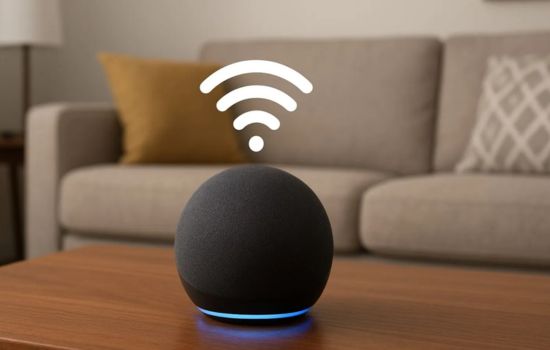
The initial setup wizard guides you through connecting your first Alexa device. The app automatically scans for nearby Echo speakers, displays, or other Alexa-enabled products waiting to be configured. Simply follow the on-screen prompts to connect your device to your Wi-Fi network.
During setup, you’ll be prompted to grant necessary permissions like location access (for weather updates and local information) and microphone access (for Drop In features). These permissions enhance functionality but can be adjusted later in your device settings if you have privacy concerns.
Personalizing Your Voice Profile 🎤
One of the app’s standout features is voice profile creation. By reading several phrases aloud, Alexa learns to recognize your unique voice pattern, enabling personalized responses, individual music preferences, and customized news briefings for different household members.
This personalization extends to shopping preferences, calendar access, and even calling contacts. When Alexa recognizes who’s speaking, she can provide information specific to that person—making the experience feel truly tailored rather than generic.
Exploring the Alexa Skills Library

Skills are third-party applications that dramatically expand what Alexa can do. The app features an extensive skills marketplace with categories ranging from productivity and smart home control to games, meditation guides, and educational content.
Browse through thousands of options organized by popularity, category, or search for specific functionality you need. Each skill listing provides detailed descriptions, user reviews, and privacy information so you can make informed decisions about which ones to enable.
Enabling skills is as simple as tapping the “Enable” button. Some skills require account linking—connecting your existing accounts from services like Spotify, Uber, or your bank—which the app facilitates through secure authentication processes.
Must-Have Skills for Everyday Life
While preferences vary, certain skills have become essential for most users. Music streaming skills like Spotify, Apple Music, or Amazon Music Unlimited integrate seamlessly, allowing voice control over your favorite playlists and podcasts.
Smart home skills from manufacturers like Philips Hue, Ring, ecobee, and TP-Link let Alexa control lighting, thermostats, cameras, and countless other devices. News skills from major outlets deliver personalized briefings tailored to your interests.
Productivity-focused users appreciate skills for task management (Todoist, Any.do), calendar integration (Google Calendar, Microsoft Outlook), and communication tools that facilitate hands-free calling and messaging.
Creating Powerful Routines That Work for You
Routines represent one of the Alexa app’s most powerful features, enabling you to trigger multiple actions with a single command or scheduled event. These automation sequences can transform how you interact with your smart home. ⚡
A morning routine might begin when your alarm goes off: lights gradually brighten, the thermostat adjusts to your preferred temperature, your coffee maker starts brewing, and Alexa reads your calendar and weather forecast—all automatically without additional commands.
Creating routines in the app is intuitive. Select “Routines” from the menu, tap the plus icon, then define your trigger (voice command, schedule, device action, or alarm) and add actions from categories like smart home, Alexa says, music, news, traffic, and more.
Advanced Routine Capabilities
Beyond basic automations, routines support conditional logic through “Wait” actions, allowing delays between steps. This enables sophisticated sequences like turning on lights, waiting 30 seconds, then playing music—mimicking natural human behavior.
Location-based triggers activate routines when you arrive home or leave, perfect for automating security systems, adjusting climate control, or managing energy consumption. The app uses your phone’s GPS to detect these location changes reliably.
Custom actions let you create personalized Alexa responses, combining informational updates with device controls. Imagine saying “Goodnight” and having Alexa lock doors, turn off lights, set the alarm system, lower the thermostat, and wish you pleasant dreams.
Managing Multiple Devices Across Your Home
As your Alexa ecosystem grows, the app becomes increasingly valuable for device management. The Devices tab displays all connected hardware organized by type: Echo speakers, lights, plugs, thermostats, cameras, and more.
Each device listing provides detailed controls and settings specific to that product. Adjust volume levels, rename devices for easier voice control, check connectivity status, and access device-specific features through dedicated settings pages.
Groups allow you to combine multiple devices for coordinated control. Create a “Living Room” group containing your Echo speaker and smart lights, then control everything simultaneously with commands like “Alexa, turn off the living room.”
Multi-Room Audio Features 🎵
Music lovers particularly appreciate the app’s multi-room audio capabilities. Combine compatible Echo devices into speaker groups that play synchronized audio throughout your home, creating an immersive listening experience.
You can create different groups for different floors or areas, then select which group plays your music through voice commands or app controls. The synchronization is impressively tight, with minimal noticeable delay between rooms.
The app also facilitates stereo pairing—combining two identical Echo devices for true left-right channel separation. This significantly enhances audio quality for those who prioritize sound fidelity in their smart home setup.
Communication Features Built Into the App
Beyond smart home control, the Alexa app serves as a communication platform. The Communicate section enables voice and video calling between Alexa devices and smartphones running the app, completely free of charge.
Drop In allows instant connection to specific devices—perfect for intercom-style communication between rooms or checking on family members. Privacy controls let you restrict who can Drop In on your devices, ensuring this convenience doesn’t compromise security.
Announcements broadcast messages to all Echo devices simultaneously. Instead of shouting “Dinner’s ready!” throughout your house, simply speak into the app or any Echo device, and your message plays everywhere at once.
Privacy Controls and Security Settings
Amazon has implemented comprehensive privacy features accessible through the app. The Privacy section provides centralized access to review voice history, manage recordings, and control how your data is used. 🔒
You can listen to and delete individual voice recordings or clear your entire history with a few taps. Enable automatic deletion to have recordings removed after three or eighteen months, balancing personalization benefits with privacy preferences.
Microphone and camera indicators show when devices are actively listening or recording. Physical mute buttons on Echo devices provide hardware-level privacy, and the app confirms mute status so you’re always aware of device state.
Managing Connected Accounts
The app’s Account Settings section displays all third-party services linked to your Alexa account. Review these periodically to remove services you no longer use, minimizing the data shared across platforms.
Two-factor authentication adds an extra security layer to your Amazon account. While configured through Amazon’s main website rather than the Alexa app specifically, this protection extends to all Alexa services and devices.
Shopping and List Management Features
Voice shopping is convenient, but the app provides visual confirmation before purchases finalize. Review items added to your cart through voice commands, compare options, read reviews, and complete transactions with full product information visible.
Shopping lists created by voice automatically sync to the app, where you can edit, organize, and check off items while shopping. Share lists with family members so everyone can add items and stay coordinated on household needs.
The Alexa app integrates with Amazon’s broader ecosystem, displaying order status, tracking information, and delivery notifications for all Amazon purchases—not just those made through Alexa voice commands.
Customizing Alexa’s Responses and Personality
The app lets you personalize how Alexa sounds and responds. While you can’t fundamentally change her voice in most regions, you can adjust speaking speed, enable brief mode (concise responses), and select different wake words beyond “Alexa.” 💬
Brief mode reduces verbose confirmations—Alexa responds with simple tones instead of full sentences for routine commands. This subtle change significantly improves the natural feel of interactions, especially for frequently used controls.
Alternative wake words include “Amazon,” “Echo,” and “Computer” (for Star Trek fans). Changing wake words helps avoid accidental activations and adds personality to your setup, particularly in households with multiple Alexa devices.
Troubleshooting Common Issues Through the App
When devices aren’t responding as expected, the app provides diagnostic tools. Connection status indicators show Wi-Fi signal strength and highlight devices experiencing connectivity problems.
The Help section offers searchable guides for common issues, from connection problems to feature explanations. Amazon’s support team is accessible directly through the app via chat or phone, with representatives who can often resolve issues remotely.
Regular software updates deliver new features and bug fixes. The app notifies you when updates are available for your devices, and you can initiate updates remotely even when away from home.
Maximizing Your Alexa App Experience
The true power of the Alexa app emerges when you move beyond basic functions. Experiment with skills outside your usual categories—you might discover unexpected utilities that enhance your daily routine in surprising ways.
Invest time in creating comprehensive routines. Well-designed automation sequences save countless small actions daily, and those seconds accumulate into meaningful time savings while making your home feel genuinely intelligent and responsive.
Regularly review your privacy settings and connected accounts. Technology evolves rapidly, and periodic audits ensure your security posture remains strong while taking advantage of new features as Amazon releases them.
The Alexa app transforms good smart home experiences into exceptional ones. While voice control captures headlines, the mobile application provides depth, customization, and control that make Amazon’s voice assistant truly shine in daily life. Whether you’re setting up your first Echo device or optimizing an extensive smart home network, mastering this app unlocks the full potential of your Alexa ecosystem. 🌟
